


Download now, always stay updated


Install our application on your phone in a few steps by following the steps below and start using it immediately.
Use the app, always stay up to date!
Install Apple/Safari
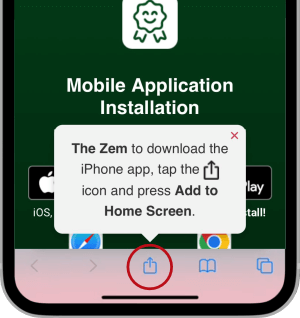
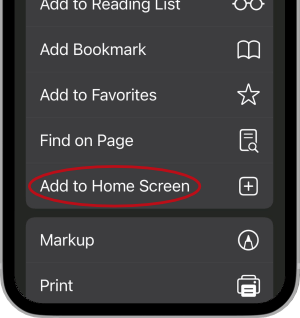
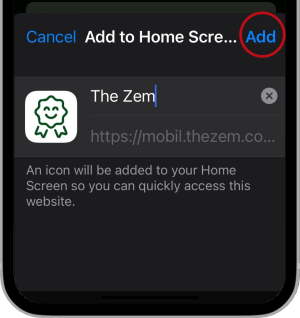
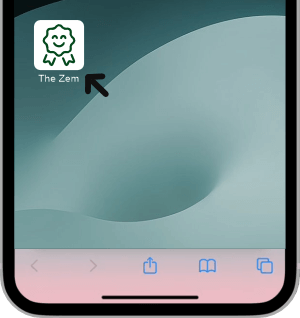
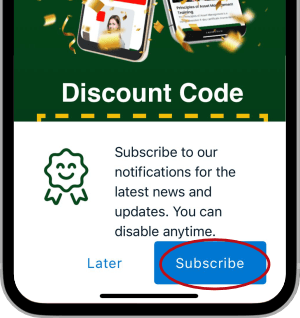
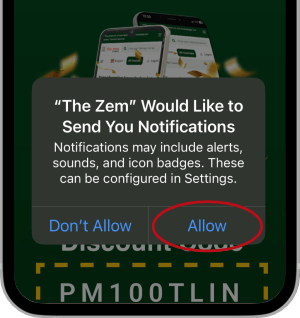
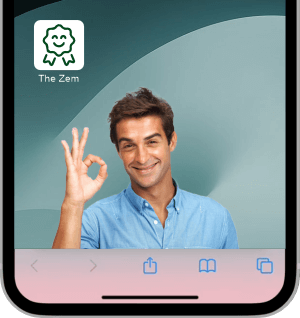
Install Android / Chrome
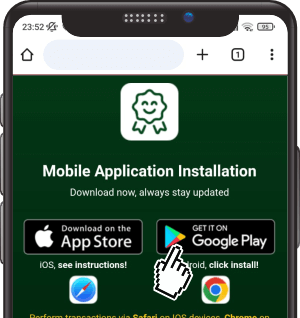
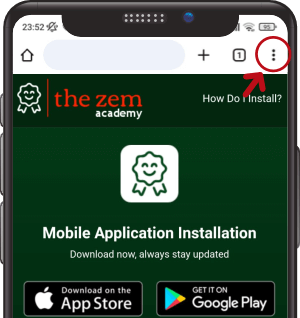
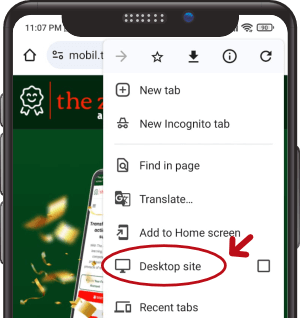
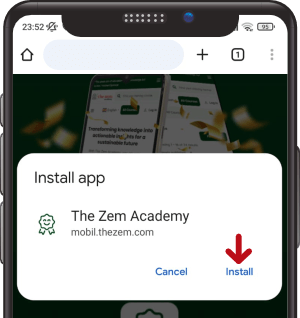
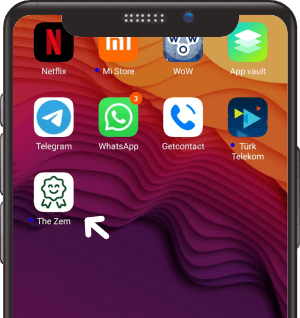
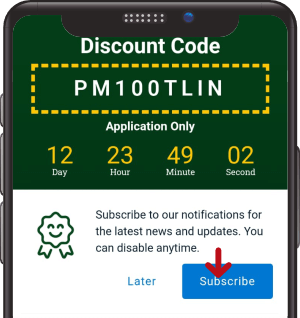
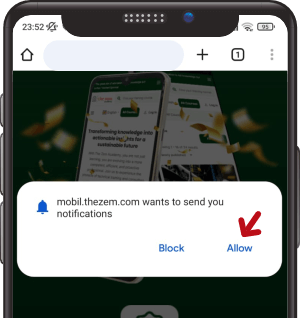
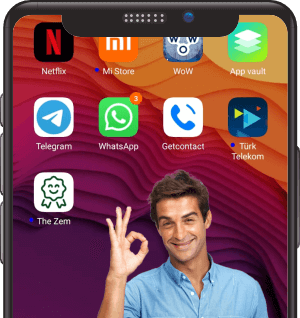
To turn on notifications, please go to your phone's Settings > Applications > Chrome > Notifications.
TO INFORM:
By following the installation steps with the browser you are actively using for installation, you can install the “THE ZEM” Mobile Application” regardless of your device model. When you follow the steps explained above, the mobile-compatible version of The Zem Academy will be added to your phone’s home screen as a shortcut. With this shortcut, you will be able to use The Zem Academy as a mobile application and always be able to reach our current address.
What is Safari?It is a browser designed by Apple for iPhones that comes pre-installed on iPhone devices. For more information, you can visit this link.
What is Chrome?It is a browser designed by Google that comes pre-installed on Android devices and is compatible with all devices including iPhones. For more information, you can visit this link.
 icon and press Add to Home Screen.